


Seamlessly Sync Contacts & Manage Clients Efficiently!
Note: Google Contacts only unlimitedly in the Growth Version.
Note: Google Contacts only unlimitedly in the Growth Version.
Step 1:
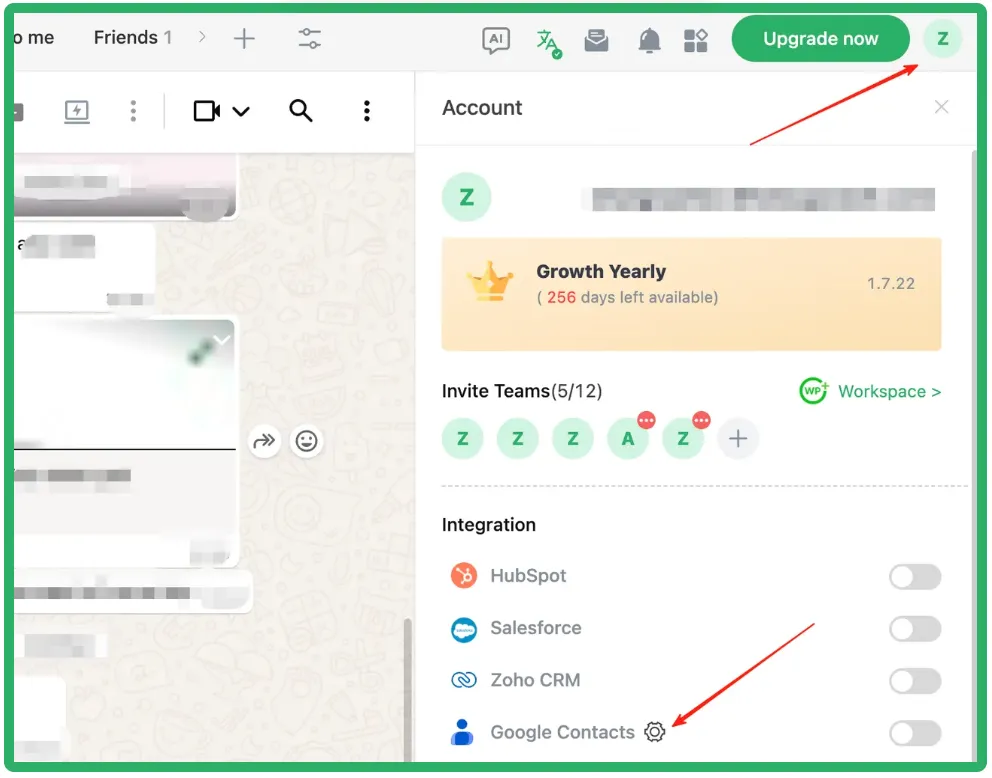
Set Sync Preferences: Go to your Profile > Tap Google Contacts
⚙️
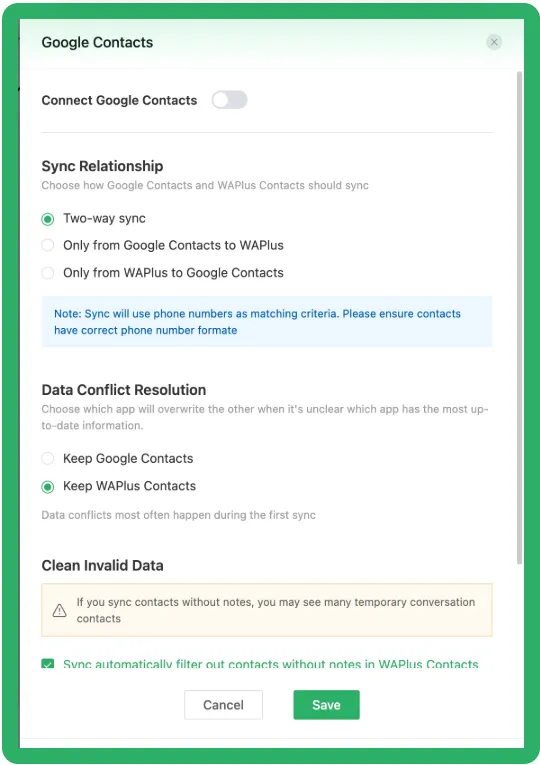
Configure andSave your sync preferences.
Step 2:
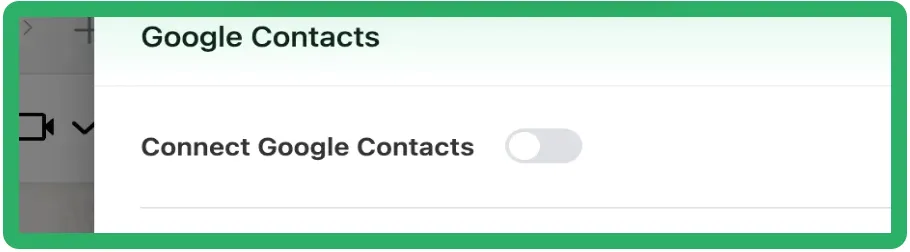
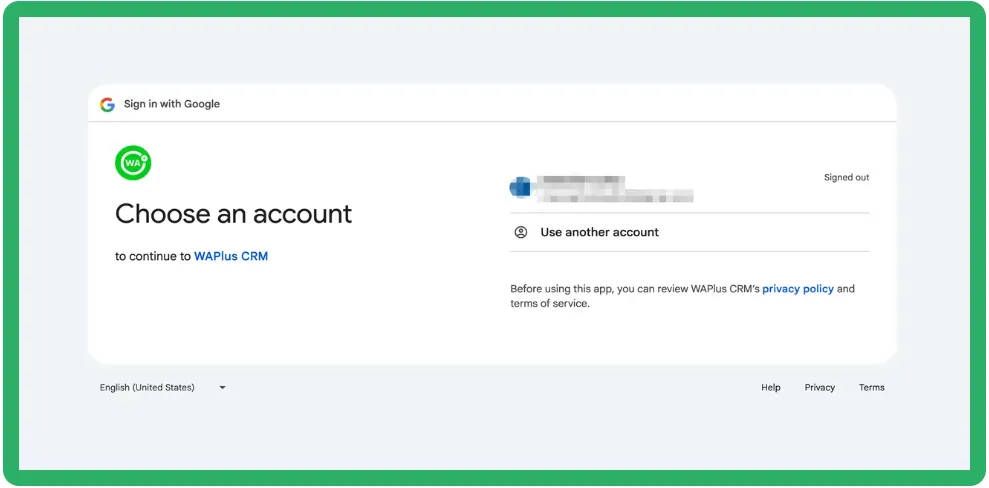
Authorize Connection: Toggle on the Connect Google ContactsSwitch and CompleteAuthorization in the Google pop-up window.
Step 3:
Sync Starts! Return to WhatsApp. Your Google contacts will now sync automatically based on your settings!
🎉
How to Sync Google Contacts to Your Phone?
Assuming you have already created your contacts in Google, you
can go to the Google homepage, click on the Google Apps button to the left of your avatar in the top right corner, and select. "Contacts" to view your Google Contacts page.

If you haven't created any Google contacts yet, you can go directly to the
Google Contacts creation page
to create your contact.
Once created, return to the Google Contacts page to view the contacts you just created.

 If You're Using an iPhone:
Step 1: Go to
Settings
>
Apps
>
Contacts
>
Contacts Accounts.
Step 2:
Tap
Add Account
and select
Google.

Step 3:
Log in to your Google account and authorize the app.

Step 4:
Select
Select all
(if you don't select it, contacts will not sync to your phone).
Tap Continue and turn on the Contacts option.

Now, open Contacts, and you will see that the contacts from your Google Contacts have been synced and updated on your phone.🎉
Open WhatsApp, select the newly updated contact, and you will see the corresponding notes have been synced as well.
🎉

 If You're Using an Android:
Step 1:
Open your phone's
Settings, scroll down, and select
Account & Sync.
Step 2:
Enter Account & Sync, choose
Google, and log in to your Google account.
Step 3:
After logging in, tap your Google account, and you'll see that Contacts sync is enabled.

Any new Google contacts you create will automatically sync to your phone.🎉
Any changes made to the Google contact's notes will also sync in WhatsApp.🎉
